
New Spindle/Laser Features on the Devt Branch
We have some new spindle features on the Devt branch. There have been a lot of requests to support machines with both spindles and lasers. You can now switch spindle types and adjust related settings without rebooting.
You now specify pins for lasers like this.
“
#define LASEROUTPUTPIN    GPIONUMnn   // required

#define LASERENABLEPIN    GPIONUMnn   // optional
Spindles pins are defined as they were before. The pin numbers used can be the different or the same as the laser.
When you send $Spindle/Type=Laser, it will use the laser setup. A new setting $Laser/FullPower=nnn is used to tell Grbl what range you want the power mapped over. The existing $GCode/MaxS-nnnn setting is still used for the spindle. This allows a quick change between the 2 types without losing your max RPM or laser max power.
All changes must be made while in Idle mode and with the spindle off (M5). Each change re-initializes the device, so things like frequency and pin inverts will take affect.
We would love some feedback and people to test this.
Future
This is just a taste of what is to come. We hope to extend this live change capability to most features. Ideally you compile once and load you machine definition from an SD card or live tweak it via settings.
评论 (18)
#2 – chron0 于 2021-11-07
I’ve been trying to get PWM laser control to work for the last couple of days, but I either get NO pwm on the output pin, or M3/M4 Sxx seems to stop to work.
According to the Wiki I tried:
“
#define SPINDLE_TYPE SpindleType::Laser
#define LASERENABLEPIN GPIONUM33 // ESP32 Uno Bottom 3 Pin
#define LASEROUTPUTPIN GPIONUM32 // ESP32 Uno Bottom 3 Pin
But I get no PWM on the output when I try to manually M3 S100.
When I try:
`
#define DEFAULTLASERMODE 1
/*
#define SPINDLE_TYPE SpindleType::Laser
#define LASERENABLEPIN GPIONUM33 // ESP32 Uno Bottom 3 Pin
#define LASEROUTPUTPIN GPIONUM32 // ESP32 Uno Bottom 3 Pin
*/
#define SPINDLE_TYPE SpindleType::PWM
#define SPINDLEPWMPIN GPIONUM32
#define SPINDLEPWMCHANNEL 0
#define SPINDLEPWMBASE_FREQ 5000
#define SPINDLEENABLEPIN GPIONUM33
#define SPINDLEOUTPUTPIN GPIONUM32
#define LASERENABLEPIN GPIONUM33 // ESP32 Uno Bottom 3 Pin
#define LASEROUTPUTPIN GPIONUM32 // ESP32 Uno Bottom 3 Pin
“
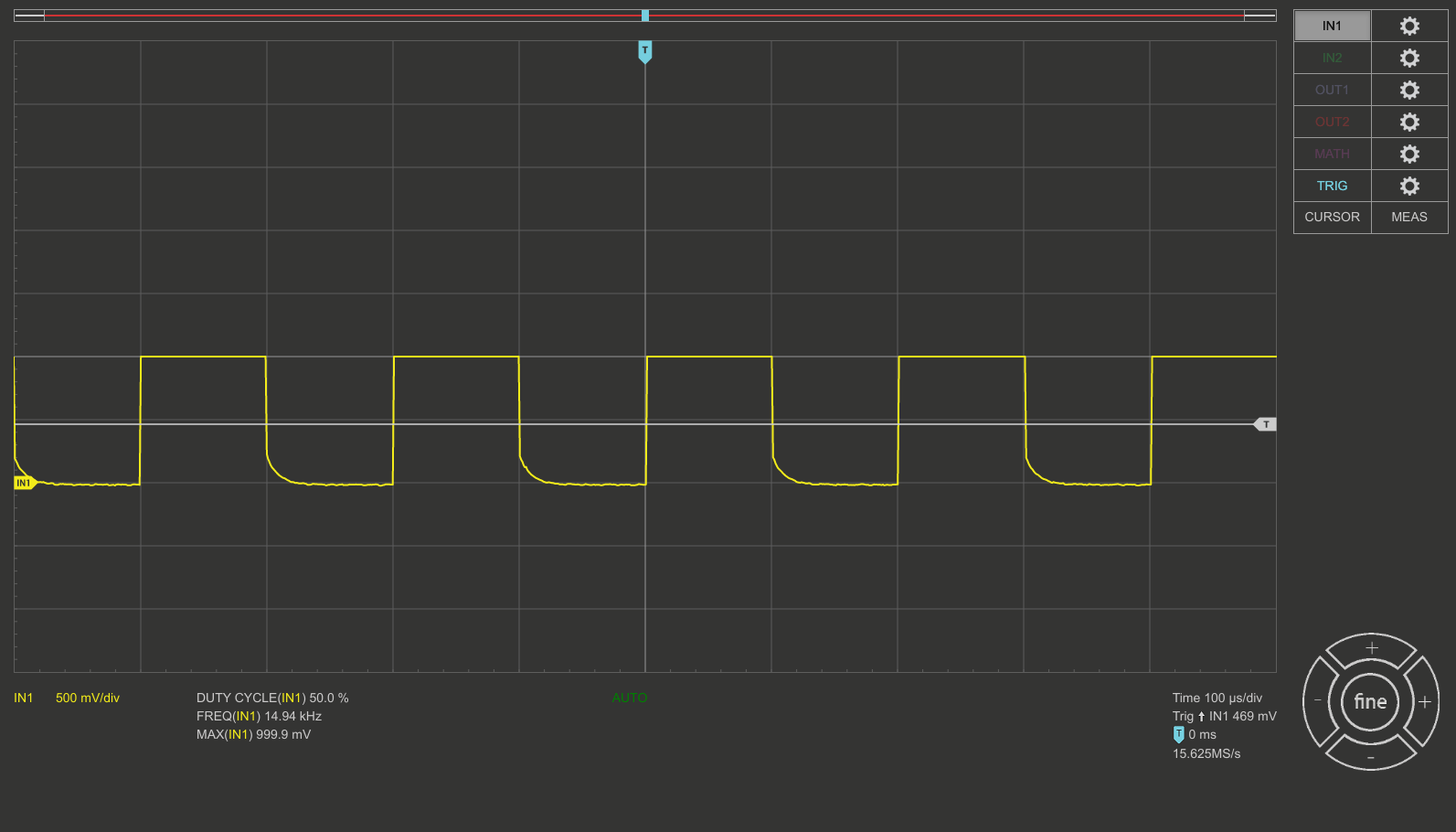
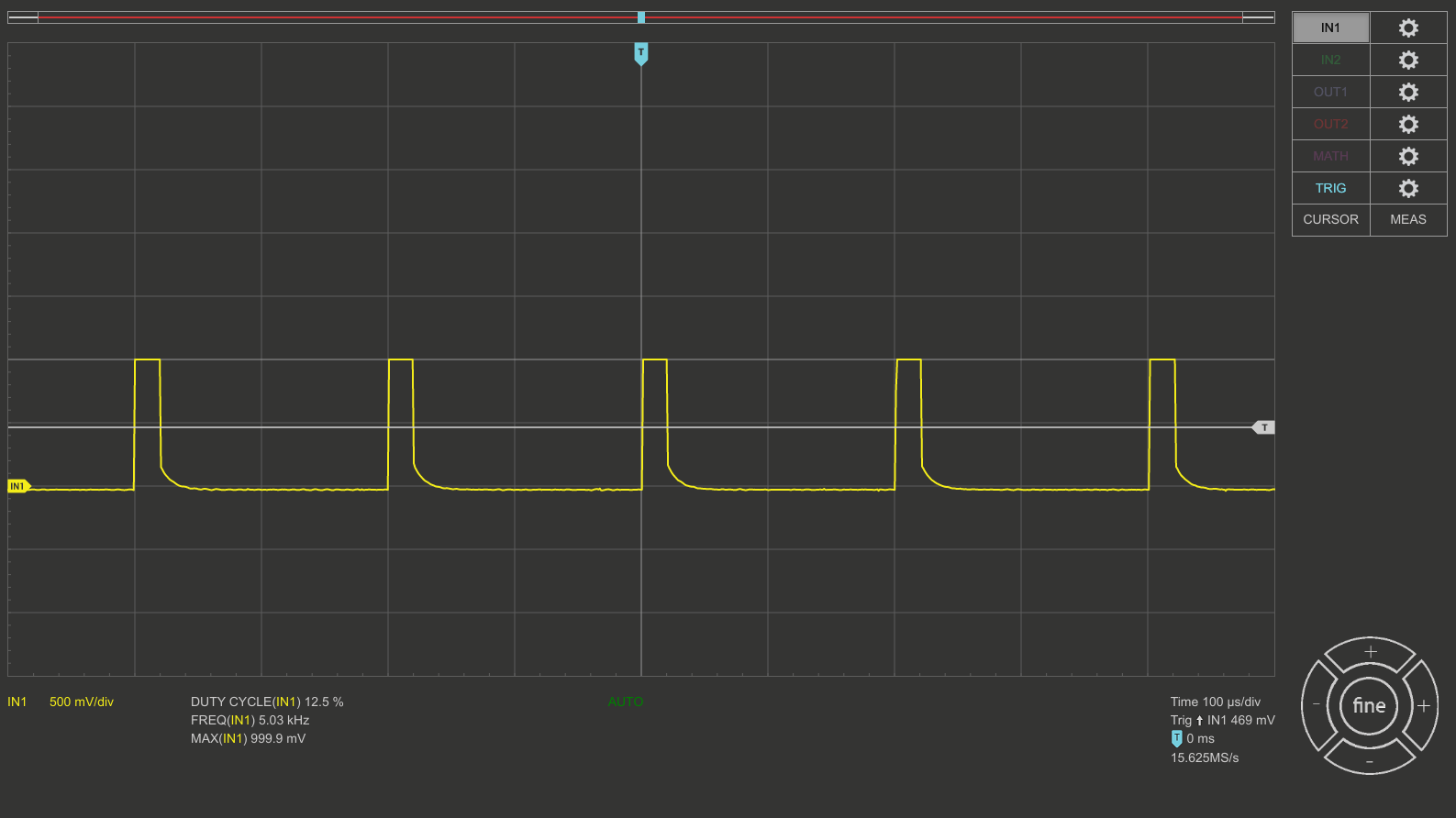
I can see actual PWM in my Scope when I manually M3 Sxx, but then M4 refuses to work.
Am I completely misunderstanding something here or is there still something a little buggy?
#3 – bdring 于 2021-11-07
With M4 you must have motion. Try …
G91
M4S1000
G1 F200 X20
Measure while in motion.
#4 – chron0 于 2021-11-07
yes, I’m aware of the “Motion” constraint, I dont get that far tho, since it tells me M4 is an invalid gcode.
#5 – bdring 于 2021-11-07
Send this to make sure you are in laser mode
$32=1
#6 – chron0 于 2021-11-07
What would the “correct” machine config look like for a machine that is diode laser engraver/cutter and should be able to use M3 as well as M4? I’ve tried $32=1, as well as all spindle variations above and am more confused than before. Let’s start with how it should look like in config, before I can start to run specific debug tests for you to get better insight of whats going on.
#7 – bdring 于 2021-11-07
$32 can be changed regardless of your config.
This sets the default, but it can be changed at any time to 0.
“
#define DEFAULTLASERMODE 1
#8 – chron0 于 2021-11-07
Yes, see my snippet above, I’ve tried that as well. I’ve tried setting in it rgbl32 web ui config and sending it as gcode. I’ve tried so many things over the last couple of days to get actual PWM output to work. Lets disregard everything I’ve done before to solve the mess/confusion from my tests with a clean slate. How should a “correct” machine definition config for spindle look like if it’s a diode laser with PWM control on pin GPIONUM32 (default and only spindle/tool) that can use M3 as well as M4?
#9 – bdring 于 2021-11-07
Set
$32=1
and run the test.
I need that debugging information before I will continue to help you.
#10 – chron0 于 2021-11-07
G91 M4S500 G1 F200 X20 shows PWM on pin.
1000 is a bad value to directly see if PWM is working or not.
#11 – chron0 于 2021-11-07
but as I stated before, this is now the PWM hardware definition and not the laser definition as per wiki docs… thats why I wanted to start THERE….
#12 – bdring 于 2021-11-07
Ignore the definition for now.
It is functioning the way you want?
#13 – chron0 于 2021-11-07
it is currently. But when I “ignore the definition” I have no clue what I am doing or why it is working and what I need to put into CAM as start gcodes and what not as it’s machine default.
Currently it looks like it is doing what it should with M4 S500 (while moving):
And also M3 S100 seems to be working:
So far grbl_esp32 has done things extremely easy and well, corexy, sdcard, oled display – and I am very grateful that this project exists. I really wasnt expecting something as simple PWM (which esp32 should do in HW with ledc mode anyways) to throw me off for literally days 
#14 – bdring 于 2021-11-07
If you are asking for help I need to understand the situation too.
I think your configuration is fine. Somewhere along the line $32 got changed to 0. There is no way to prevent that from the config file. It is a dynamic setting that laser CAM programs need to have access to.
It behaves the same way as Grbl.
FluidNC is the next generation of Grbl_ESP32. Laser mode automatically changes to the right thing based on what type of spindle you are using.
#15 – MitchBradley 于 2021-11-07
a) what board are you using? There is at least one board that has a level converter in the pwm output circuitry, which needs some trickery to ensure that it is enabled properly.
b) Have you tried a definition file that has only laser pins defined, without doubly-defining any pins?
#16 – chron0 于 2021-11-07
> If you are asking for help I need to understand the situation too.
yes, obviously Thats why I suggested we start from scratch, so that you and I had the same state to build upon. Didnt want to sound “entitled” or ungrateful, it just seemed to make more sense so that we both know where we are when we run tests. All help is much appreciated.
> I think your configuration is fine. Somewhere along the line $32 got changed to 0. There is no way to prevent that from the config file. It is a dynamic setting that laser CAM programs need to have access to.
To me the config is totally the opposite of what the wiki/docs suggests and only is a “brute force” result of trying different spindle parameter combinations. I would have expected this to be “correct”:
“
#define SPINDLE_TYPE SpindleType::Laser
#define LASERENABLEPIN GPIONUM33 // ESP32 Uno Bottom 3 Pin
#define LASEROUTPUTPIN GPIONUM32 // ESP32 Uno Bottom 3 Pin
but this is what is currently running (definitely not according to wiki/docs for lasers)
#define DEFAULTLASERMODE 1
#define SPINDLE_TYPE SpindleType::PWM
#define SPINDLEPWMPIN GPIONUM32
#define SPINDLEPWMCHANNEL 0
#define SPINDLEPWMBASE_FREQ 5000
#define SPINDLEENABLEPIN GPIONUM33
#define SPINDLEOUTPUTPIN GPIONUM32
#define LASERENABLEPIN GPIONUM33 // ESP32 Uno Bottom 3 Pin
#define LASEROUTPUTPIN GPIONUM32 // ESP32 Uno Bottom 3 Pin
“
> It behaves the same way as Grbl.
>
> FluidNC is the next generation of Grbl_ESP32. Laser mode automatically changes to the right thing based on what type of spindle you are using.
FluidNC, never heard of it, going to have a peek, thx for the suggestion.
#17 – bdring 于 2021-11-07
Here is an invite to our Discord server.
FluidNC is still “beta” now. You should check it out, but wait a while.
#18 – chron0 于 2021-11-07
> a) what board are you using? There is at least one board that has a level converter in the pwm output circuitry, which needs some trickery to ensure that it is enabled properly.
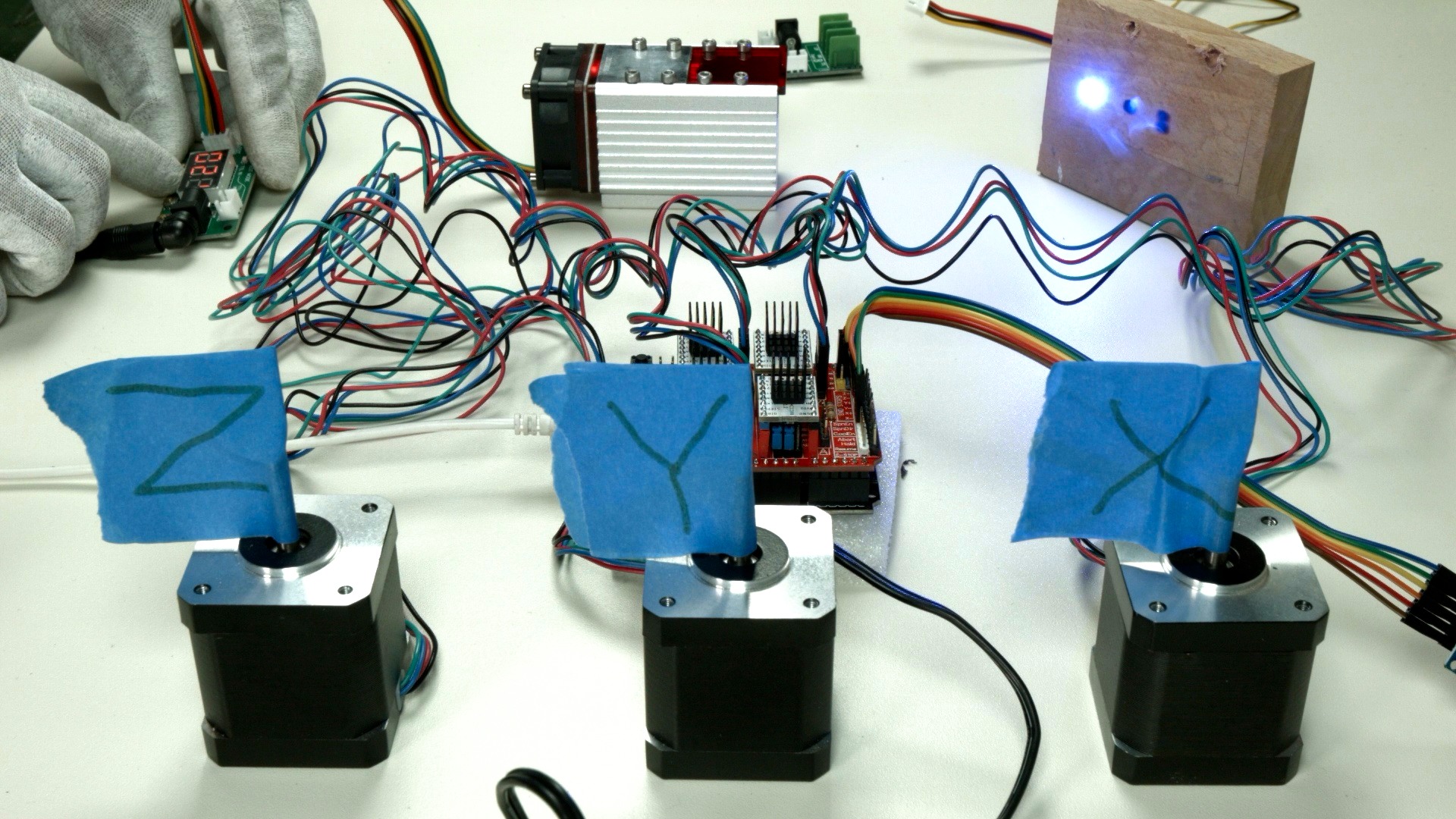
ah, i went full on hacker mode with this one, since I wanted to give grbl_esp32 a go without custom boards:
I wanted to see if it’s possible to get going with these COTS boards. No level converters at all there.
> b) Have you tried a definition file that has only laser pins defined, without doubly-defining any pins?
yes, see above, as per docs – and with that NO pwm output was coming out. AT least not on M3, I havent tested M4 motion with it, but I would like to have M3 available as well.
![[gnea/grbl-Mega Issue#1] $ command extentions](https://www.grblhal.com/wp-content/themes/gitphp/timthumb.php?src=https://www.grblhal.com/wp-content/themes/gitphp/assets/img/pic/1.jpg&h=110&w=185&q=90&zc=1&ct=1)
![[gnea/grbl-Mega Issue#2] Better interrupt priorities](https://www.grblhal.com/wp-content/themes/gitphp/timthumb.php?src=https://www.grblhal.com/wp-content/themes/gitphp/assets/img/pic/9.jpg&h=110&w=185&q=90&zc=1&ct=1)
![[gnea/grbl-Mega Issue#3] ATMega16U2 virtual com port on ATMega2560](https://www.grblhal.com/wp-content/themes/gitphp/timthumb.php?src=https://www.grblhal.com/wp-content/themes/gitphp/assets/img/pic/3.jpg&h=110&w=185&q=90&zc=1&ct=1)
![[gnea/grbl-Mega Issue#4] Real-time adjustable feedrates](https://www.grblhal.com/wp-content/themes/gitphp/timthumb.php?src=https://www.grblhal.com/wp-content/themes/gitphp/assets/img/pic/12.jpg&h=110&w=185&q=90&zc=1&ct=1)
#1 – easytarget 于 2020-12-23
Very Nice; I really appreciate the sensible way you are extending Grbl’s settings and moving towards configuring everything on-the-fly
I just upgraded my 3-Axis board to the
mainbranch (dated20201212, the previous FW it had dated from May) and think it would be good to include and describe these settings in theMachines/template.hfile. I ran into some confusion on my combined laser/spindle machine after I missed this change when upgrading. Despite having examined theMachines/3axis_v4.handMachines/template.hfiles to try and capture any new settings I would need.My machine shares the PWM and Enable pins between it’s spindle and Laser module (via a toggle switch) and I just assumed I could leave the spindle type as
PWMin the config, define the PWM pins, and everything would work as before.But when I tested the upgrade on a simple laser job It failed at the first cut with:
MSG:M4 requires laser mode or a reversable spindleAfter some confusion (and, eventually, looking at the source) I realised that I needed to add the definitions for the
LASER_pins in my custom machine config, allowing me to switch the spindle type toLaserand run the job successfully. My spindle is not reversible via an IO pin.I thought it worth commenting here in case others get caught out. Especially since searching on the above
MSG:didn’t return any matches for me. For reference here is a tedious log of what was happening, I have outdented the responses from the controller:“
$32

   $32=1
$Laser
$Laser/FullPower=1000
$GCode/LaserMode=On
$Spindle
$Spindle/Enable/Invert=Off
$Spindle/Enable/OffWithSpeed=Off
$Spindle/Delay/SpinDown=0.000
$Spindle/Delay/SpinUp=0.000
$Spindle/PWM/Invert=Off
$Spindle/PWM/Frequency=5000.000
$Spindle/PWM/Off=0.000
$Spindle/PWM/Min=0.000
$Spindle/PWM/Max=100.000
$Spindle/Type=PWM
$Spindle/Type=Laser
[MSG:Laser spindle on Pin:GPIO(17), Enbl:GPIO(16), Freq:5000Hz, Res:13bits Laser mode:On]
M4
..Works as expected
$Spindle/Type=PWM
[MSG:PWM spindle Output:GPIO(17), Enbl:GPIO(16), Dir:None, Freq:5000Hz, Res:13bits]
M4
[MSG:M4 requires laser mode or a reversable spindle
.. Now I understand what is happening I appreciate getting an error here, I'm happy to be blocked if I accidentally run
a laser job without changing the spindle type to Laser!
“