
Hi everyone,
I’m trying to get my XYYZ machine going but have a problem with the dual axis.
My servo drives don’t seem to be able to change direction of rotation on their own so I have to give the bit mask a go.
However I can’t get my head around on how I should do that:
I assume it should still be a 3 axis machine in config.h, but the bit mask only speaks about x, y and z.
So what do I do if I want one y axis to turn in one direction and the other y axis opposing to the first one?
I configured my machine.h file as following:
#define USEGANGEDAXES // allow two motors on an axis
#define XSTEPPIN GPIONUM12
#define YSTEPPIN GPIONUM14
#define Y2STEPPIN GPIONUM21 // ganged motor
#define YAXISSQUARING
#define ZSTEPPIN GPIONUM27
#define XDIRECTIONPIN GPIONUM26
#define YDIRECTIONPIN GPIONUM25
#define Y2DIRECTIONPIN GPIONUM22 // ganged motor
#define ZDIRECTIONPIN GPIONUM33
Thank you all
评论 (13)
#2 – manfredoo 于 2020-11-19
Yes they are compatible with 3.3V, X and Z axis are working fine. Both Y axis are working aswell, other than not being in opposing directions.
I’ll remove YAXISSQUARING tomorrow and see how that goes.
Thank you for your help
#3 – bdring 于 2020-11-19
Do both Y motors move and reverse direction? Is the problem they don’t move in opposite directions?
If so, this currently cannot be fixed in firmware. It can easily be fixed with stepper motors. You just swap the wires on one coil on one motor.
You might be able to change active low and active high on the driver input. Can you send a link or picture of your driver?
#4 – manfredoo 于 2020-11-19
Yes, the only problem is the same direction of both motors.
I can’t change the motor coils since these are AC servos with encoders [https://bit.ly/3nIAYVx].
I missed that the drivers can only change motor direction by setting in speed mode but not in position mode which I am using.
I’ll try changing active low/active high tomorrow too.
Since I basically have very very limited programming skills, would it be possible to invert Y2 direction signal by using the ~symbol? like:
#define YDIRECTIONPIN GPIONUM25
#define Y2DIRECTIONPIN ~GPIONUM22
#5 – bdring 于 2020-11-19
You could certainly hack it.
We are working on the next generation of the firmware and how pins are defined and used. We don’t want to muddy things by hacking temporary fixes.
Can you send a link or picture of your driver?
#6 – manfredoo 于 2020-11-19
Here is a file of the driver, I hope the upload is working out.
LICHUAN B2 Servo Driver Instruction Book(1).pdf
#7 – bdring 于 2020-11-19
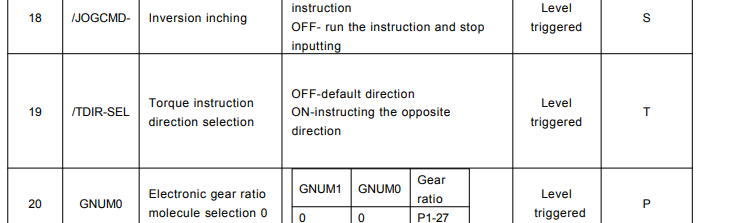
Is (19) a method of reversing direction one of them? Hard to tell with the wording.
#8 – manfredoo 于 2020-11-20
The most right column says ‘T’, which refers to torque mode, I’d need a ‘P’ for position mode there.
Thank you so much for digging this deep into my issue.
#9 – bdring 于 2020-11-20
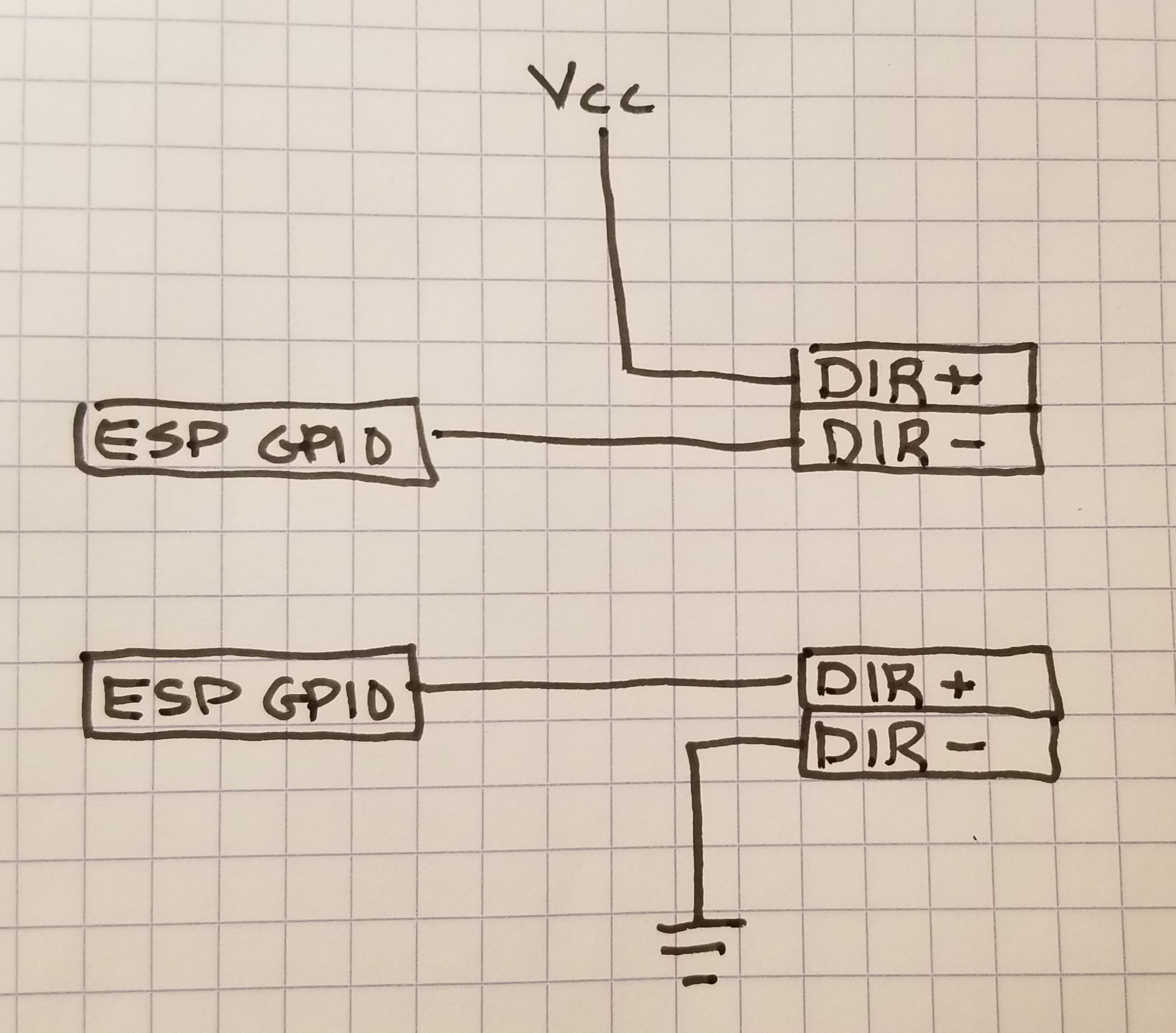
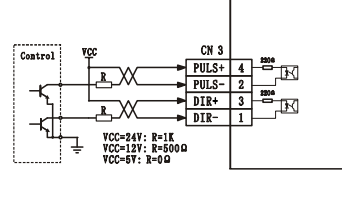
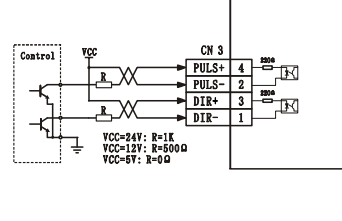
How are you wiring these pins.
I think we can flip the direction here.
#10 – bdring 于 2020-11-20
I think you can wire this circuit 2 ways.
Try wiring one way for each driver. Vcc should be 3.3V
#11 – manfredoo 于 2020-11-20
Looks like the best scenario I could do, thank you very much for suggesting that.
#12 – bdring 于 2020-11-20
Let me know if it works.
#13 – manfredoo 于 2020-11-20
Hi,
I just changed the wiring for the Y2 axis and it’s working perfect now. So thank you very much for your time and help.
![[gnea/grbl-Mega Issue#1] $ command extentions](https://www.grblhal.com/wp-content/themes/gitphp/timthumb.php?src=https://www.grblhal.com/wp-content/themes/gitphp/assets/img/pic/12.jpg&h=110&w=185&q=90&zc=1&ct=1)
![[gnea/grbl-Mega Issue#2] Better interrupt priorities](https://www.grblhal.com/wp-content/themes/gitphp/timthumb.php?src=https://www.grblhal.com/wp-content/themes/gitphp/assets/img/pic/9.jpg&h=110&w=185&q=90&zc=1&ct=1)
![[gnea/grbl-Mega Issue#4] Real-time adjustable feedrates](https://www.grblhal.com/wp-content/themes/gitphp/timthumb.php?src=https://www.grblhal.com/wp-content/themes/gitphp/assets/img/pic/4.jpg&h=110&w=185&q=90&zc=1&ct=1)
#1 – bdring 于 2020-11-19
#define YAXISSQUARINGis no longer used. Dual motor is inferred from the 2 motor definitions.Squaring is set by the $Homing/Squared=Y Setting
Do you the pinout of your servos? Are they compatible with 3.3V signals?