
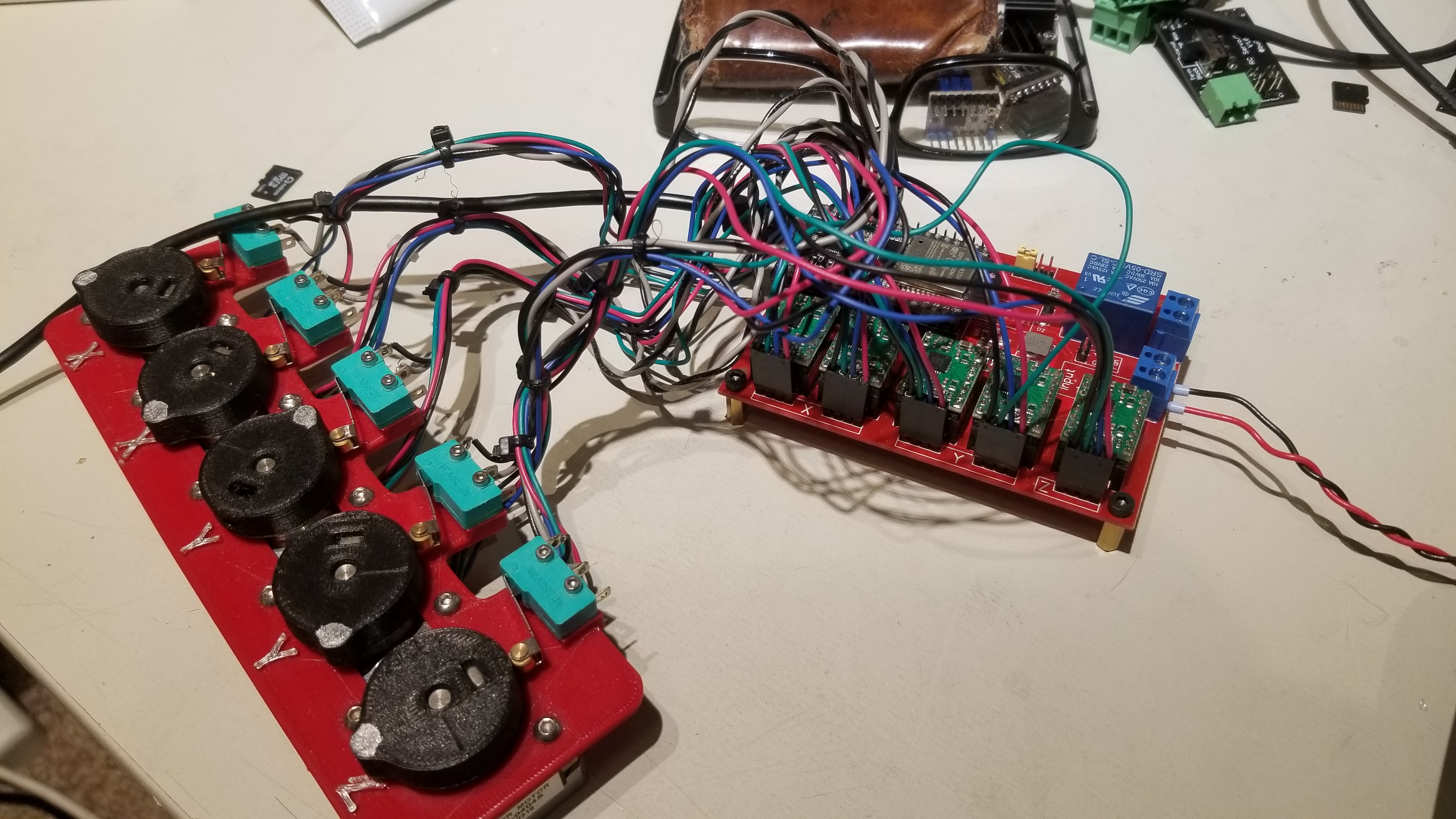
Hi, I have bdring’s red mpcnc board with ESP32 and drivers. I had a power glitch that toasted the ESP. I flashed a new ESP with the latest software. After fighting my Arduino IDE not saving my machine settings to mpcncv1p1, I have it flashed. One problem though, one of my y motors is not moving. I verified the motor and wiring is good by swapping to an x channel. I verified the driver by swapping that to an x channel. I tried changing the machine in the code to mpcncv1p2. No change to the other y motor moving. I can hear the motor humming on power up. X and Z jog, no problem. One y moves as it should, the other does not. Any recommendations on how to resolve this issue?
Thanks,
Joe
评论 (12)
#2 – jwslavinsky 于 2020-11-16
Thank you. I did a visual inspection of the board. There does not appear to be obvious damage. I was looking for scorch or burn marks, or any other discoloration or delamination of the board.
For my education, per the graphic above, the driver output pins show (L-R) Pin 1 DIR, Pin 4 GND. What are pins 2 and 3? Asking as I check continuity and do a voltage check.
Thanks again!
Joe
#3 – bdring 于 2020-11-16
Here is the schematic
https://github.com/bdring/GrblESP32MPCNCController/blob/master/source/Schematic1p2p1.pdf
#4 – bdring 于 2020-11-16
Paste the boot messages here, so I can check your compile.
https://github.com/bdring/Grbl_Esp32/wiki/Requesting-Help#boot-messages
#5 – jwslavinsky 于 2020-11-17
ets Jun 8 2016 00:22:57
rst:0x1 (POWERONRESET),boot:0x13 (SPIFASTFLASHBOOT)
configsip: 0, SPIWP:0xee
clkdrv:0x00,qdrv:0x00,ddrv:0x00,cs0drv:0x00,hddrv:0x00,wpdrv:0x00
mode:DIO, clock div:1
load:0x3fff0018,len:4
load:0x3fff001c,len:1216
ho 0 tail 12 room 4
load:0x40078000,len:9720
ho 0 tail 12 room 4
load:0x40080400,len:6352
entry 0x400806b8
[MSG:Grbl_ESP32 Ver 1.3a Date 20201022]
[MSG:Compiled with ESP32 SDK:v3.2.3-14-gd3e562907]
[MSG:Using machine:MPCNC_V1P2]
[MSG:Axis count 3]
[MSG:RMT Steps]
[MSG:Init Motors]
[MSG:Global stepper disable pin:GPIO(13)]
[MSG:X Axis Standard Stepper Step:GPIO(12) Dir:GPIO(26) Disable:None Limits(0.000,500.000)]
[MSG:X2 Axis Standard Stepper Step:GPIO(22) Dir:GPIO(26) Disable:None Limits(0.000,500.000)]
[MSG:Y Axis Standard Stepper Step:GPIO(14) Dir:GPIO(25) Disable:None Limits(0.000,500.000)]
[MSG:Y2 Axis Standard Stepper Step:GPIO(21) Dir:GPIO(25) Disable:None Limits(0.000,500.000)]
[MSG:Z Axis Standard Stepper Step:GPIO(27) Dir:GPIO(33) Disable:None Limits(-80.000,0.000)]
[MSG:PWM spindle Output:GPIO(16), Enbl:GPIO(32), Dir:None, Freq:5000Hz, Res:13bits]
[MSG:Local access point GRBL_ESP started, 192.168.0.1]
[MSG:Captive Portal Started]
[MSG:HTTP Started]
[MSG:TELNET Started 23]
[MSG:X Axis limit switch on pin GPIO(17)]
[MSG:Y Axis limit switch on pin GPIO(4)]
[MSG:Z Axis limit switch on pin GPIO(15)]
[MSG:Probe on pin GPIO(35)]
Grbl 1.3a [‘$’ for help]
[MSG:’$H’|’$X’ to unlock]
#6 – bdring 于 2020-11-17
That looks correct. I do not know why your motor is not moving.
Did any drivers get damaged with the power glitch, even if you later replaced them? Can you describe the power glitch?
#7 – jwslavinsky 于 2020-11-17
I have not had the opportunity to perform the continuity check yet.
The drivers appear good, no charring or scorching. I swapped the drivers around between x and y with no change in function. That is one channel/motor will not command a move. It will move if I swap Y a and b wires at the board. In that case Y b will move Y a will not. (If that makes sense?)
My power glitch was that it was powered on and I tripped on the extension cord. Pulled the plug out of the socket. It dropped power while the system was idle. I have a power switch on my case which was in the on position. I did not think to power off the switch, plugged it back in. After that…the ESP was broadcasting an access point but would not let me open a browser. I tried a number of different ways to “log in” with no success. I took the board back to my PC and it would not respond to anything, including serial monitor. The LED lights up but it is not responsive. I replaced the ESP with a reflashed module. And here I am.
#8 – bdring 于 2020-11-17
Just to make sure there was no new firmware issue, I loaded the latest main and the machine definition. It ran fine for me.
#9 – jwslavinsky 于 2020-11-19
Continuity checks passed.
I am going to check the drivers again.
!Screen Shot 2020-11-18 at 6 15 08 PM
#10 – jwslavinsky 于 2020-11-29
I changed out the drivers to new ones. That was not the issue. I’m at a loss as to what to check next.
I have confirmed continuity between ESP32 pin 33 (GPIO 21) and YSTEPB on the driver slot. It checks good.
I checked capacitor C5 (while on the board), seems to be ok. It gave the same increasing resistance as the other driver slot’s caps. Its not the ideal way to measure it, but I didn’t want to going to the effort of desoldering it and not have a replacement available. Visually it looks good, no bulges or scorching. If the cap is bad could it affect Vmo and thus not provide sufficient voltage to the motor? That seems to be the only component that is unique to Yb.
If I get to a point of surrender, could I piggy back Yb to Ya? Basically make a Y pigtail to the two motors reversing the direction of one motor? Would driving two motors from one driver slot cause me problems?
Thanks!
Joe
#11 – bdring 于 2020-11-30
I don’t know what the problem is. Obviously something got damaged. I would not recommend using 2 motors on one driver.
If the cap is bad, you might have bad performance, but move a little. Did you try swapping a motor. Maybe there is a wiring problem.
#12 – jwslavinsky 于 2021-01-01
Just a quick update on what I found. I did further testing on the replacement ESP chip. I found pin 21 was a constant 3.75 volts. All other motor voltages X a and b, Y a and Z were normal. I replaced the ESP with a re-flashed ESP and I am back up and running. It serves as a reminder, its always best to start replacing (and suspecting) the cheapest components first. I cant confirm but I think my first replacement ESP had an issue. Because I was replacing it due to the original having problems from a power glitch, I did not want to believe that new ESP was defective. I went so far as to purchase a new board before replacing the ESP. I hope this helps someone else!
![[gnea/grbl-Mega Issue#1] $ command extentions](https://www.grblhal.com/wp-content/themes/gitphp/timthumb.php?src=https://www.grblhal.com/wp-content/themes/gitphp/assets/img/pic/1.jpg&h=110&w=185&q=90&zc=1&ct=1)
![[gnea/grbl-Mega Issue#2] Better interrupt priorities](https://www.grblhal.com/wp-content/themes/gitphp/timthumb.php?src=https://www.grblhal.com/wp-content/themes/gitphp/assets/img/pic/12.jpg&h=110&w=185&q=90&zc=1&ct=1)
![[gnea/grbl-Mega Issue#3] ATMega16U2 virtual com port on ATMega2560](https://www.grblhal.com/wp-content/themes/gitphp/timthumb.php?src=https://www.grblhal.com/wp-content/themes/gitphp/assets/img/pic/9.jpg&h=110&w=185&q=90&zc=1&ct=1)
#1 – bdring 于 2020-11-16
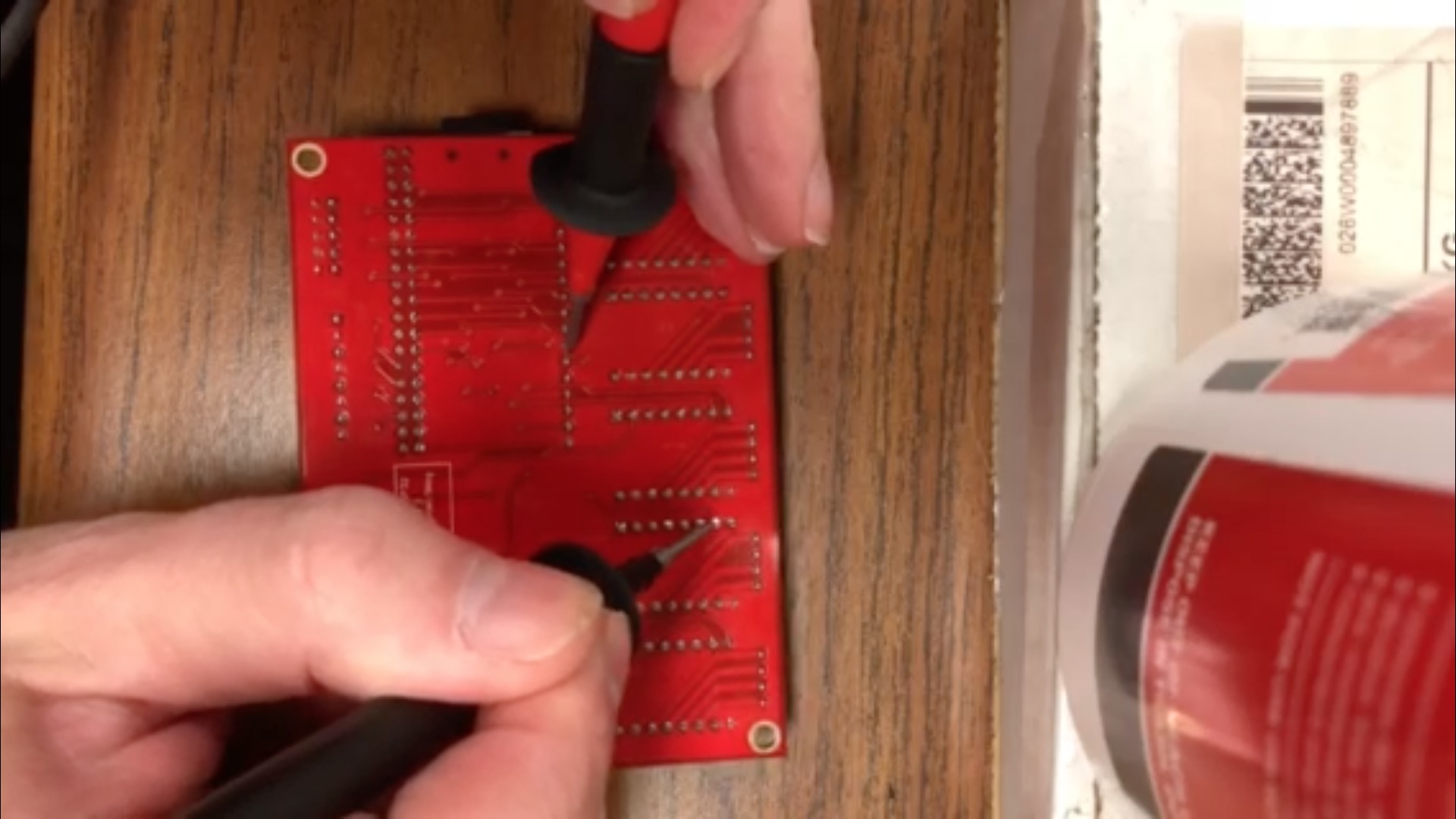
I would check the the board for damage if you had a power glitch. Do a continuity check on all the signals going to the driver.
If the motor is humming, check to see if it is locked when the other axes run. That would mean the enable signal is OK. I would check the step signals first. I am not sure which Y motor you are talking about.
Here are the 2 Y motor step signals.
!mpcncyissue