
Hello, I just finished flash the board, and I can get into the web interface, but I can not control the XYZ motor, when I click the XYZ button in the web controller or GRBL controller(PC), it shows nothing.
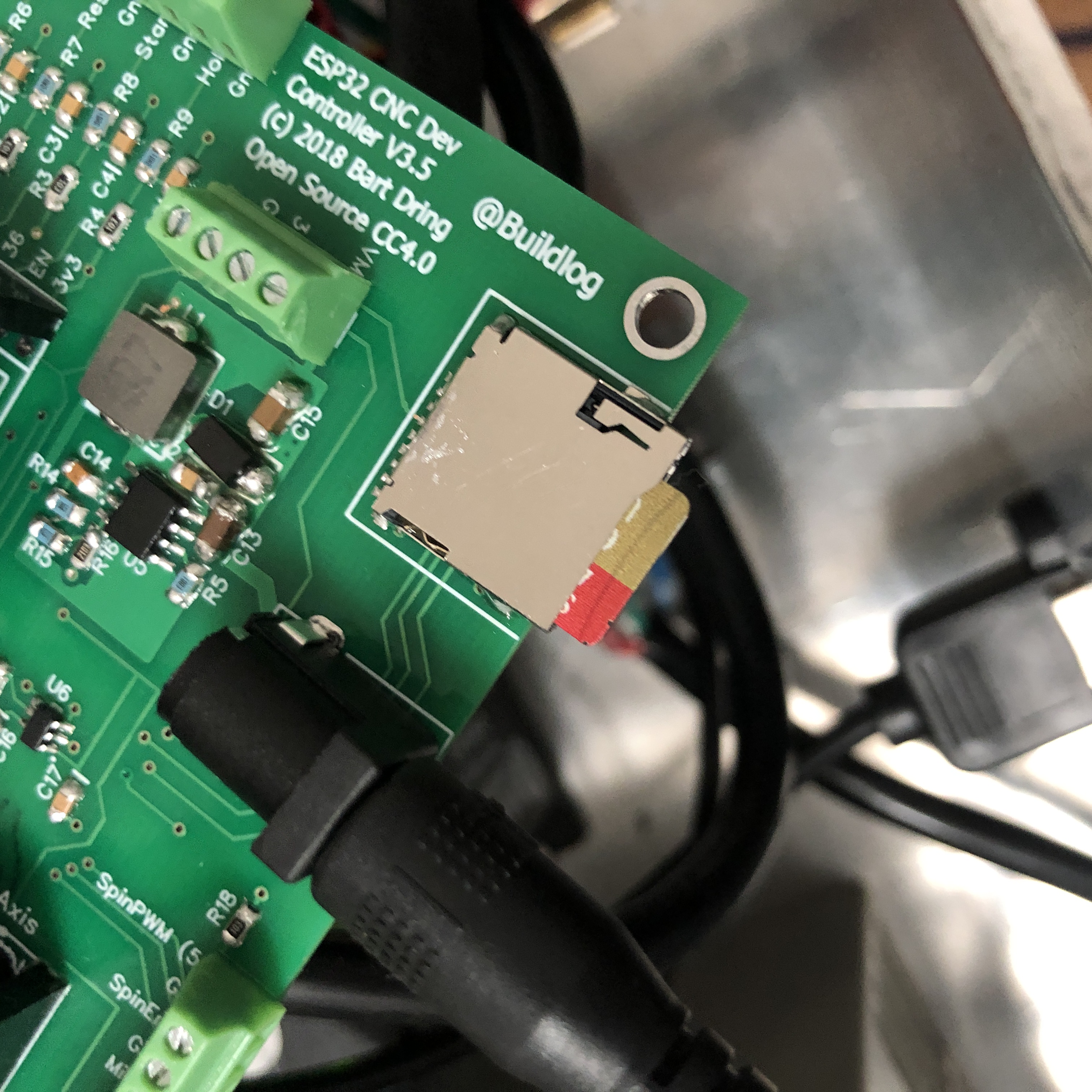
And it can not recognize sandisk TF 64g card.
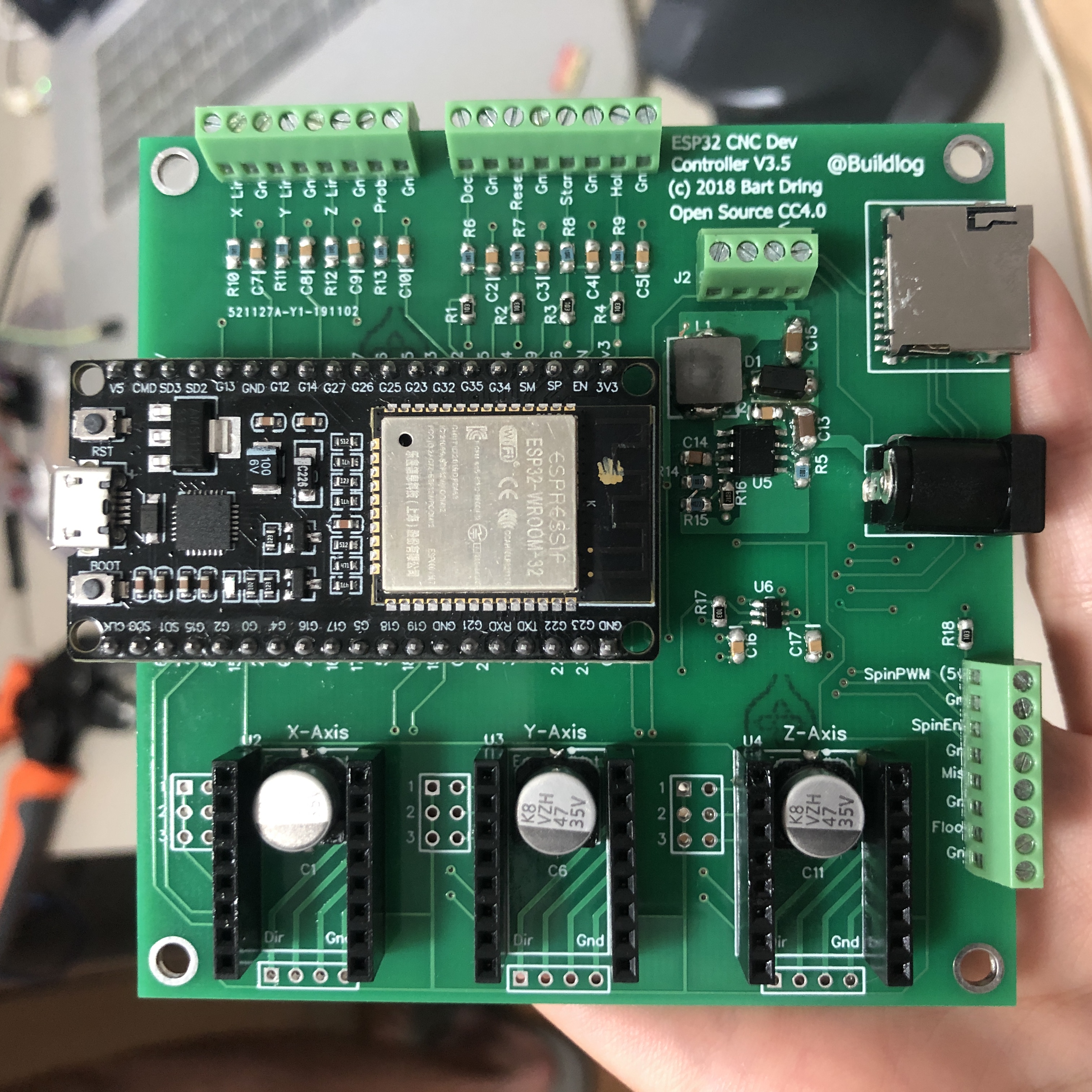
!IMG_0686
BTW, I use external moto driver DM542
评论 (9)
#2 – jasinghuang 于 2019-11-08
> Please paste the text you get on your serial port at startup in a reply.
[MSG:Client Started]
[MSG:Connecting TP Jasing 2.4]
[MSG:Connecting.]
[MSG:Connecting..]
[MSG:Connecting…]
[MSG:Connecting….]
[MSG:Connecting.]
[MSG:Connecting..]
[MSG:Connecting…]
[MSG:Connecting….]
[MSG:Connecting.]
[MSG:Connecting..]
[MSG:Connecting…]
[MSG:Connecting….]
[MSG:Connecting.]
[MSG:Connecting..]
[MSG:Connecting…]
[MSG:Connecting….]
[MSG:Connecting.]
[MSG:Connecting..]
[MSG:Connecting…]
[MSG:Connecting….]
[MSG:Connecting.]
[MSG:Disconnected]
[MSG:Connected with 192.168.6.107]
[MSG:Start mDNS with hostname:http://grblesp.local/%5D
[MSG:SSDP Started]
[MSG:HTTP Started]
[MSG:TELNET Started 23]
[MSG:Using cpumap…CPUMAP_DEFAULT – Demo Only No I/O!]
Grbl 1.1f [‘$’ for help]
#3 – mac7988 于 2019-11-08
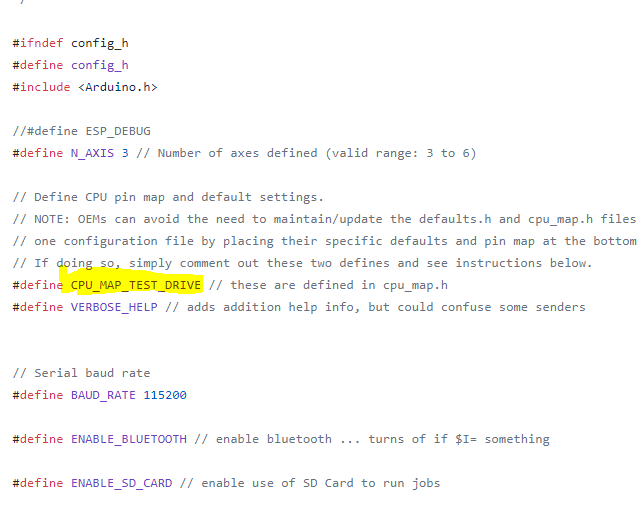
You are using the wrong CPU map. Change in the config.h
!image
In your case to CPUMAPESP32 ( I think)
#4 – jasinghuang 于 2019-11-08
> You are using the wrong CPU map. Change in the config.h
> !image
>
> In your case to CPUMAPESP32 ( I think)
I have select the version 3.5 which I use in cpu_map.h
// Select the version (uncomment one of them)
#define CPUMAPV3p5 // version 3.5 and earlier
//#define CPUMAPV4 // version 4 or higher (in developement)
#5 – bdring 于 2019-11-08
@jasinghuang The advice from @mac7988 is correct.
Does it work now?
#6 – jasinghuang 于 2019-11-09
@bdring @mac7988 thank you both, I change to
#define CPUMAPESP32 // these are defined in cpu_map.h
It works now.
But it still can not detect TF card. Does it have the limitation of sd card storage? @bdring
#7 – bdring 于 2019-11-09
Did you try the formatting suggestions on the wiki?
#8 – jasinghuang 于 2019-11-10
> Did you try the formatting suggestions on the wiki?
>
> https://github.com/bdring/Grbl_Esp32/wiki/Using-the-SD-Card
I tried, it stil not working. I wonder if my soldering problem?
#9 – jasinghuang 于 2019-11-10
Finally, I try to format the card in FAT, and it works!!!
![[gnea/grbl-Mega Issue#1] $ command extentions](https://www.grblhal.com/wp-content/themes/gitphp/timthumb.php?src=https://www.grblhal.com/wp-content/themes/gitphp/assets/img/pic/7.jpg&h=110&w=185&q=90&zc=1&ct=1)
![[gnea/grbl-Mega Issue#3] ATMega16U2 virtual com port on ATMega2560](https://www.grblhal.com/wp-content/themes/gitphp/timthumb.php?src=https://www.grblhal.com/wp-content/themes/gitphp/assets/img/pic/8.jpg&h=110&w=185&q=90&zc=1&ct=1)
![[gnea/grbl-Mega Issue#4] Real-time adjustable feedrates](https://www.grblhal.com/wp-content/themes/gitphp/timthumb.php?src=https://www.grblhal.com/wp-content/themes/gitphp/assets/img/pic/10.jpg&h=110&w=185&q=90&zc=1&ct=1)

#1 – bdring 于 2019-11-08
Please paste the text you get on your serial port at startup in a reply.