
Here is the description of managed events:
- onstart: executed at the beginning of gcode execution.
- onstop: executed when the stream of gcode is stopped.
To define the command executed you can fill the text field in:
Tools->Config->Events
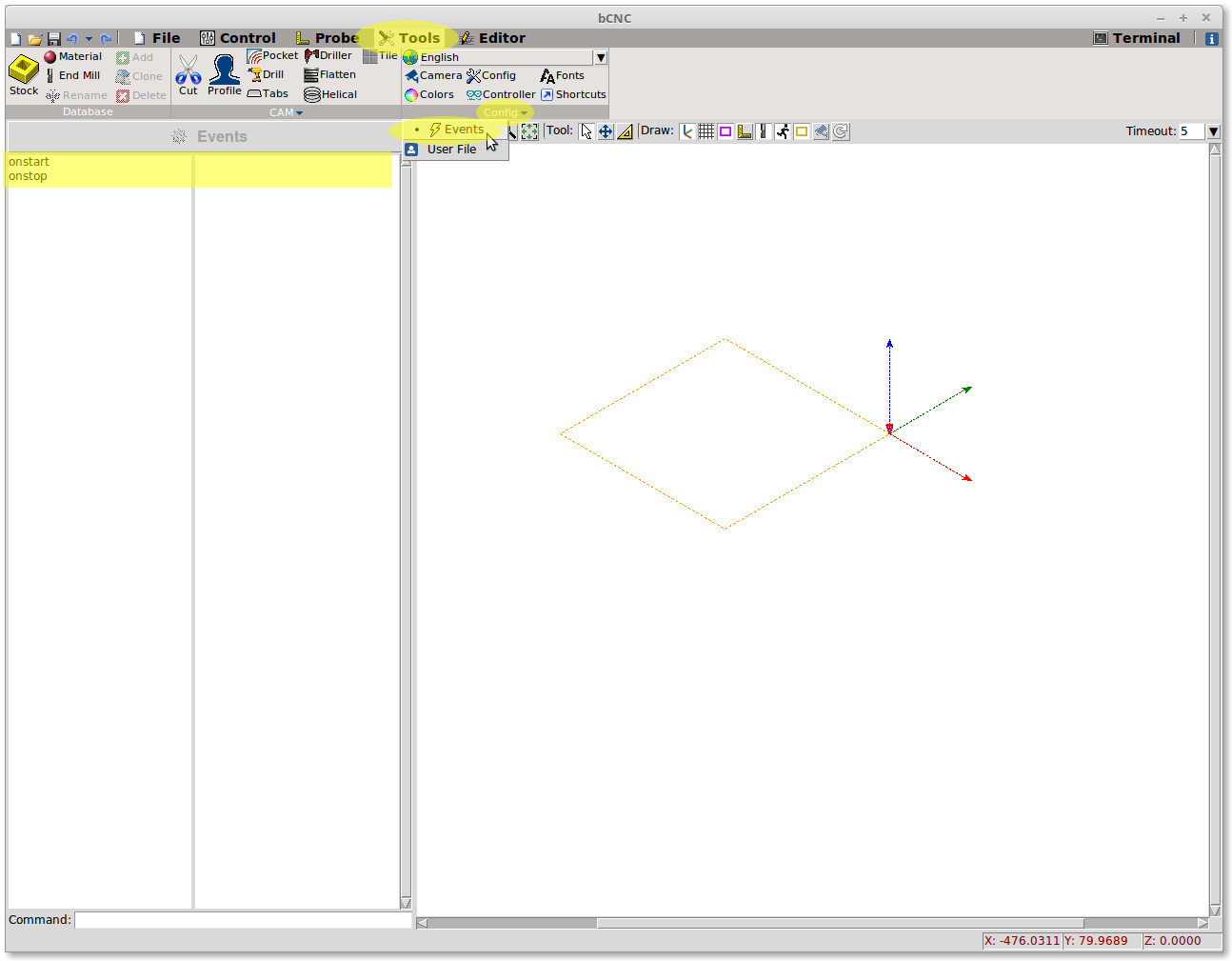
or you can customize your configuration file .bCNC present in your user folder.
You’ll find a section called [Events], name the event you need to handle = the command you need to execute by your os. Here an example:
[Events]
onstart = date.exe
onstop = c:\SendMail.py
This allow to run any software (send email, take snapshot, pay the rent) external to bCNC.
本文转载自: https://github.com/vlachoudis/bCNC/wiki/Customize-Events
![[gnea/grbl-Mega Issue#1] $ command extentions](https://www.grblhal.com/wp-content/themes/gitphp/timthumb.php?src=https://www.grblhal.com/wp-content/themes/gitphp/assets/img/pic/12.jpg&h=110&w=185&q=90&zc=1&ct=1)
![[gnea/grbl-Mega Issue#2] Better interrupt priorities](https://www.grblhal.com/wp-content/themes/gitphp/timthumb.php?src=https://www.grblhal.com/wp-content/themes/gitphp/assets/img/pic/8.jpg&h=110&w=185&q=90&zc=1&ct=1)
![[gnea/grbl-Mega Issue#3] ATMega16U2 virtual com port on ATMega2560](https://www.grblhal.com/wp-content/themes/gitphp/timthumb.php?src=https://www.grblhal.com/wp-content/themes/gitphp/assets/img/pic/10.jpg&h=110&w=185&q=90&zc=1&ct=1)
![[gnea/grbl-Mega Issue#4] Real-time adjustable feedrates](https://www.grblhal.com/wp-content/themes/gitphp/timthumb.php?src=https://www.grblhal.com/wp-content/themes/gitphp/assets/img/pic/2.jpg&h=110&w=185&q=90&zc=1&ct=1)