
It is very easy to change the Font used by DRO.
The font type and size are defined in the Tools->Font section of bCNC.
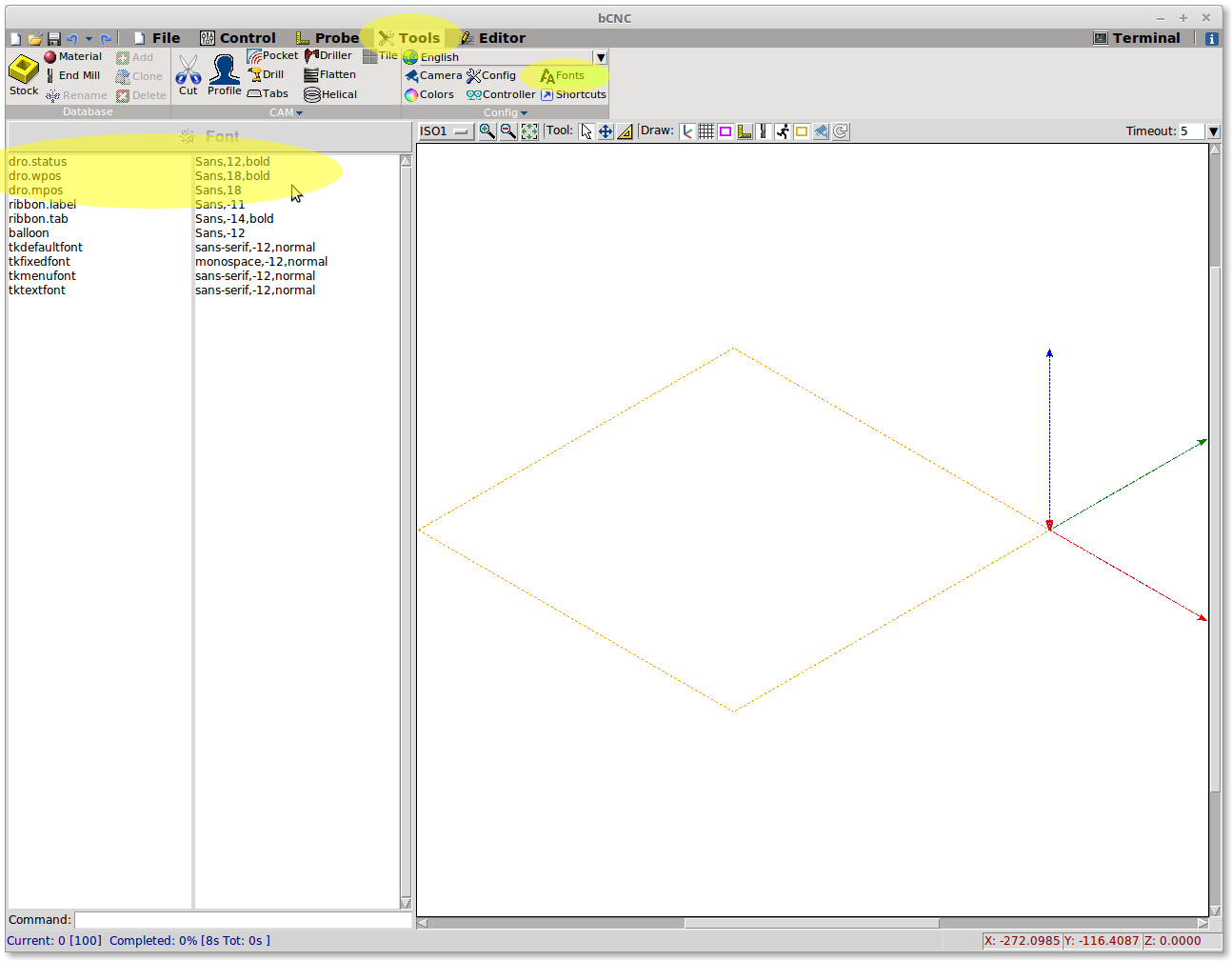
The format used is Font name,Size,Options where:
- Font name = is a font name present in your system
- Size = is the size in DPI, negative size uses true pixels
- Options = can be bold or italic
Some font have been reported not to resize correctly the container, please try with a standard font.

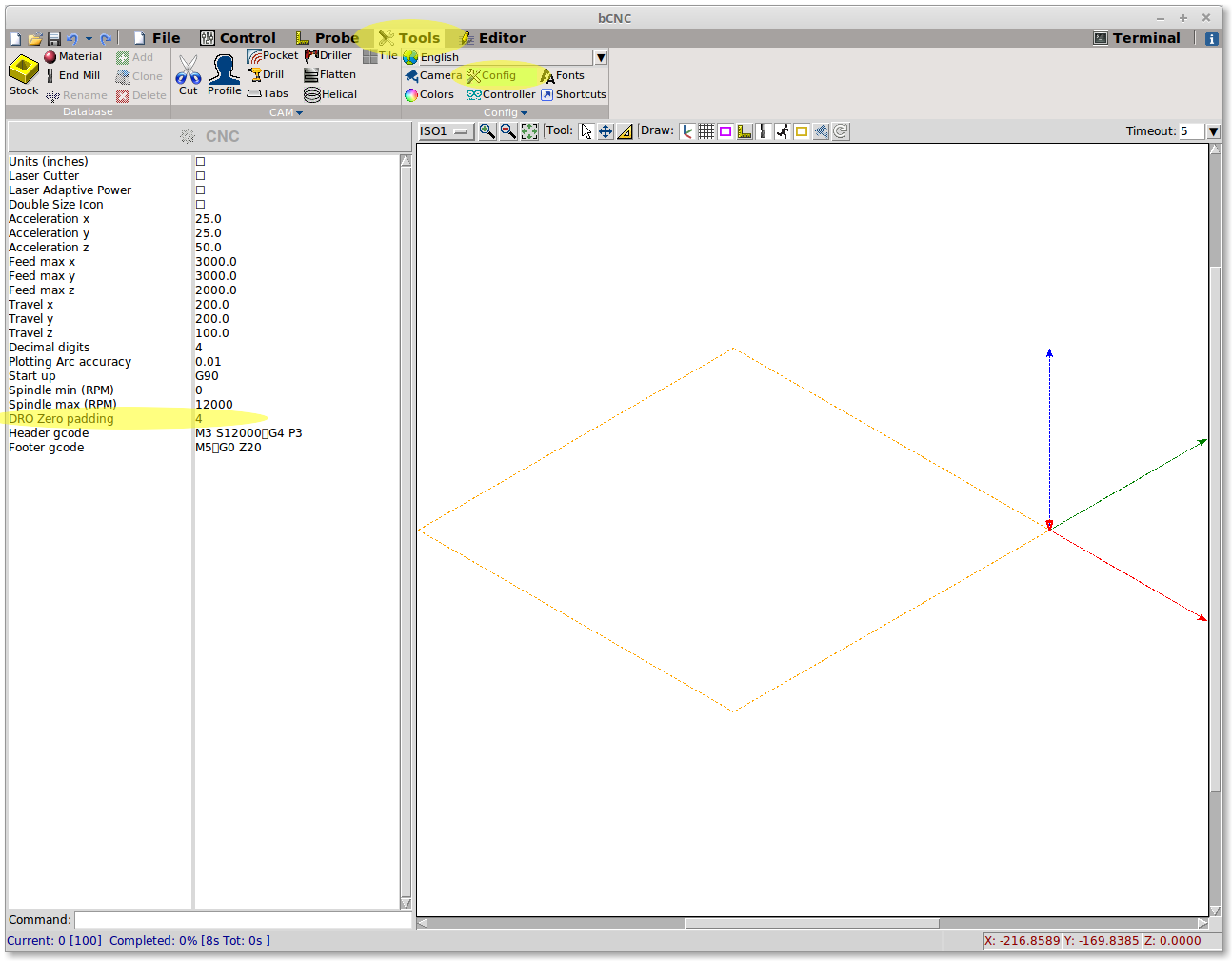
In the image above use a fixed number of decimal place.
The settings is set in Tools->Config->DRO Zero padding.
Restart bCNC to take effect.
本文转载自: https://github.com/vlachoudis/bCNC/wiki/Customize-DRO
![[gnea/grbl-Mega Issue#1] $ command extentions](https://www.grblhal.com/wp-content/themes/gitphp/timthumb.php?src=https://www.grblhal.com/wp-content/themes/gitphp/assets/img/pic/7.jpg&h=110&w=185&q=90&zc=1&ct=1)
![[gnea/grbl-Mega Issue#2] Better interrupt priorities](https://www.grblhal.com/wp-content/themes/gitphp/timthumb.php?src=https://www.grblhal.com/wp-content/themes/gitphp/assets/img/pic/4.jpg&h=110&w=185&q=90&zc=1&ct=1)
![[gnea/grbl-Mega Issue#4] Real-time adjustable feedrates](https://www.grblhal.com/wp-content/themes/gitphp/timthumb.php?src=https://www.grblhal.com/wp-content/themes/gitphp/assets/img/pic/2.jpg&h=110&w=185&q=90&zc=1&ct=1)